






-79%








Price: ₹1,099 - ₹227.00
(as of Sep 28, 2024 08:19:11 UTC – Details)
Product Description


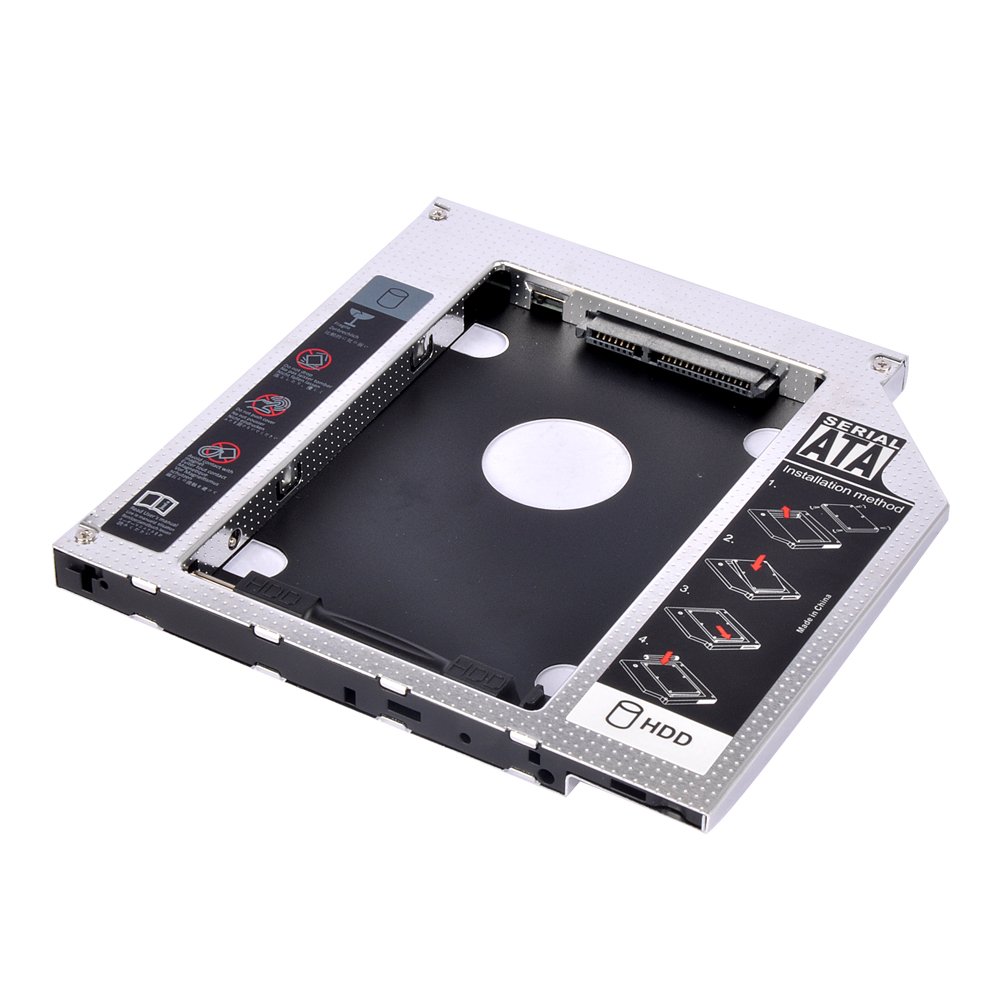
This universal SATA Optical Bay Hard Drive Adapter lets you add a second hard drive to the laptop systems. With a second hard drive, you can quickly store and back up critical data. Add this caddy to your laptop to give you another hard drive. Simply remove your CD/DVD-ROM drive and put the Caddy (with the added hard drive) in its place… This is a good working adapter. Note: Please check the below cool item, that will turn your 9.5mm SATA connection drive into an external DVD drive, better yet, no AC adapter needed; External case for 9.5mm SATA DVD drive. Only a case, not included any drive) Support Plug & Play; Fast & Reliable connection just as the primary HDD. Fully integrated into Laptop, no cables / PSU / software driver needed. Dual boot, Support installation of 2nd Operating System on the 2nd HDD and boot selection.


SATA interface Suitable
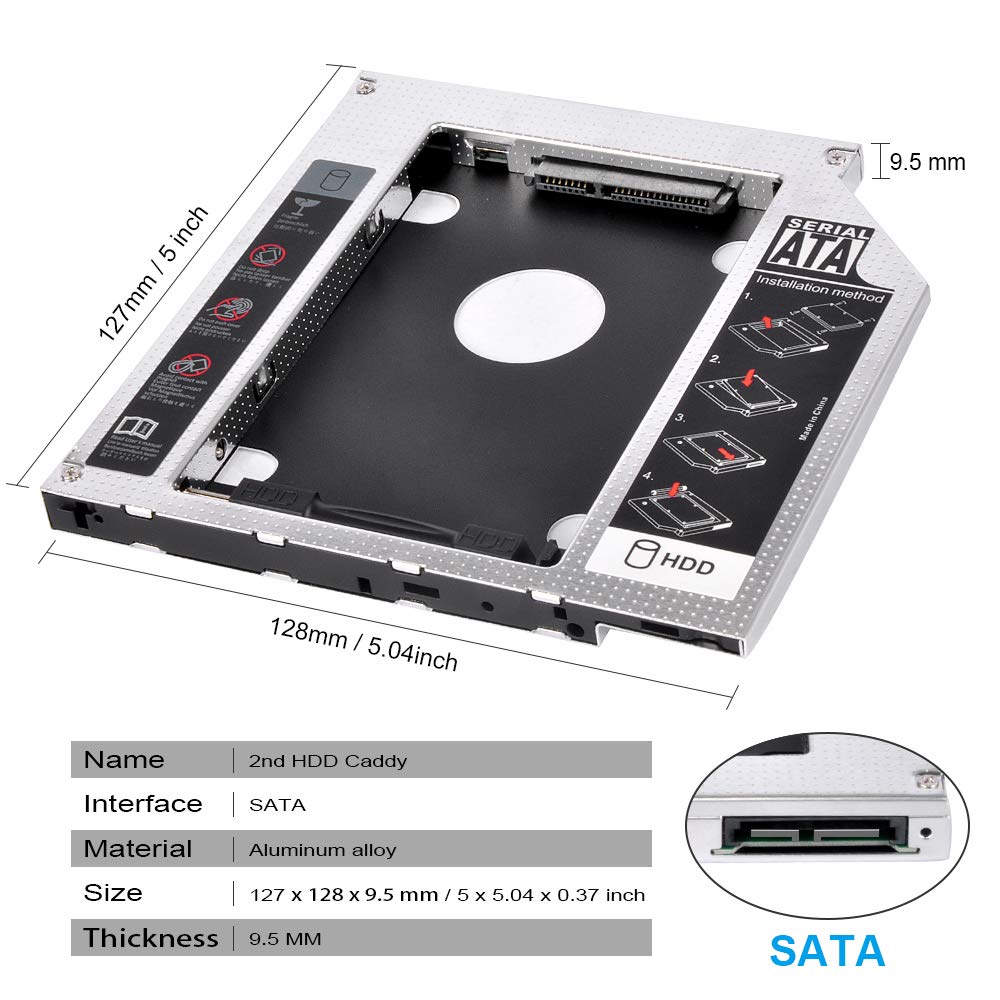
Fits 9.5 mm laptop optical drive bay SATA interface Suitable for SATA 2.5″ hard drives (thickness less than 9.5 mm thickness) Removable front panel, can replace with your current panel Light weight: only 62 g Dimensions: 127 x 127 x 9.5 mm & 4 x screws includedUniversal 9.5 mm SATA HDD SSD enclosure hard drive caddy case tray for laptop CD DVD-ROM optical bay drive slotFully integrated into laptop, no cables/PSU/software driver needed.
Improve Your Laptop Compatibility
Compatible 4 Channels switch help to improve the compatibility. You can try to move ” A””B””C””D” if your Laptop can not read HDD.Four channels are optional for different branded laptops as the picture shows.With a second hard drive, you can quickly store and back up critical data.
4 Channel Switch
4 Channel Switch Compatible switch Help to improve Compatibility (But Please Don’t Move it if it is Working )AC : HPAD : SonyBC : Dell & OtherBD : IBM & A-ppleFast & Reliable connection in laptop.

Simply remove your CD/DVD-ROM drive and put the Caddy (with the Your hard drive) in its place.Unpack the New drive.lift the adapter retaining latch.the screw to the hard disk.Insert the drive into the Adapter at an angle.Slide the drive into the connector until it locks into place.Lower the adapter retaining latch until it snaps closed.
In stock
In stock
No account yet?
Create an Account




Reviews
Clear filtersThere are no reviews yet.