






-34%








Price: ₹39,999 - ₹26,490.00
(as of Oct 03, 2024 16:00:17 UTC – Details)
Product Description
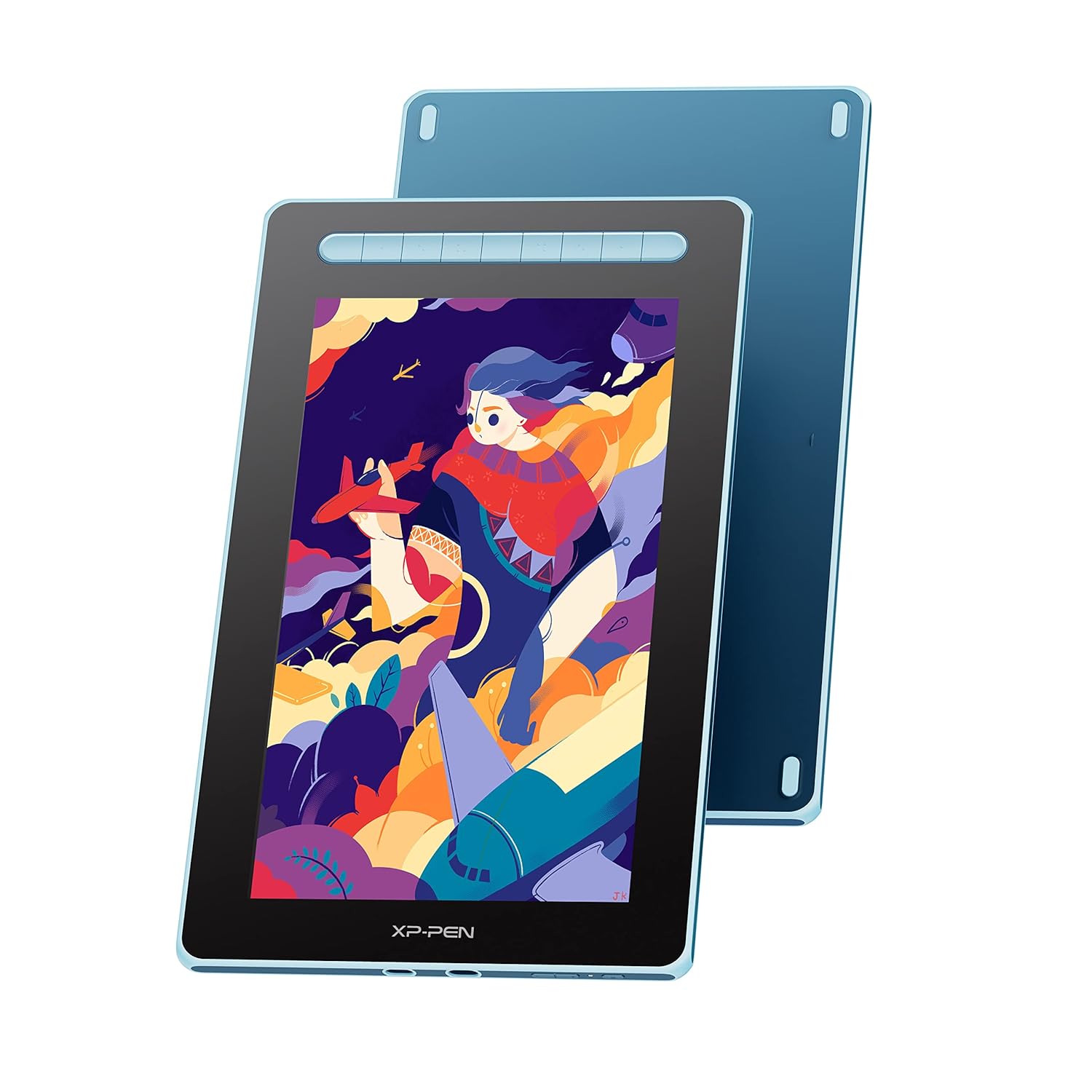
Revolutionize Your Artistry with the XPPen Artist 13 2nd Gen
The video showcases the product in use.The video guides you through product setup.The video compares multiple products.The video shows the product being unpacked.


1 Incredible Display
2 Specifications
3 Extensive Compatibility
4 Shortcut Keys
5 Package Details
An upgrade to XPPen Artist 13.3 Pro  Full-laminated, Minimized Parallax
-Full lamination screen technology. The screen and display are seamlessly laminated to avoid parallax errors between the stylus nib and cursor, precisely positioning every strokes.
-Paper-like surface texture renders a natural experience of traditional drawing.
-130% color gamut sRGB*.
 Anti-glare Screen
The matte eye-protective screen blocks the light interference from the environment, allowing you to focus on creation without distractions.
– Keep screen clear
– Protect your eyes
– Minimize the parallax
– Dust proof
 Flexible Dual Ports
Full-featured USB-C cable connection== Full-featured USB-C port
* Supports connection with USB-C to USB-C cable (sold separately) only.
3-in-1 USB-C cable connection== 3-in-1 USB-C port
* Supports connection with the included 3-in-1 cable only.
 Android Compatbility
Compatible with cellphone that has a full-featured Type-C port. Capture your passing thoughts anytime, anywhere with a portable tablet or a phone!
Versatile Multi-Use Screen  Video Mirroring
Video mirroring creates an optimized visual experience
 Graphic Designing
Screen Extension helps enhance your work efficiency
 Gaming
Big screen provides better gaming experience
 Illustration
Great for illustration
Does the XPPen Artist 13 2nd Gen support touch input?
Yes, the XPPen Artist 13 2nd Gen features touch input, allowing you to use gestures, multi-touch, and other touch interactions for navigation and creative work.
Can the X3 pen replace the mouse to improve my productivity in certain situations?
Yes. You can set the X3 pen to mouse mode in the driver, then it can replace the mouse. If you are a teacher, student or work in video editing, photo design etc., our product will help you to take your work to the next level!
How to choose between XPPen Artist 13.3 Pro and XPPen Artist 13 2nd Gen?
Consider needs and budget. Artist 13.3 Pro for color accuracy and advanced features; Artist 13.3 2nd Gen for budget-friendly artistry.
Can the drawing tablet with screen be used alone?
No, please connect to a smartphone, laptop or PC, it is not a standalone tablet.
What is included in the package?
Yes. It includes 1 x Pen Display,1 x X3 Elite Stylus,1 x 3-in-1 USB Cable,1 x Extension Cord,10 x Pen Nibs,1 x Nib Extractor,1 x Cleaning Cloth,1 x Black Drawing Glove,1 x Quick Guide.
Product Name Artist 13 (2nd Gen) Drawing Display Dimensions 378 x 225 x 11.99 mm Work Area 293.76 x 165.24 mm Reading Height 10 mm Shortcut Keys 9 Display Resolution 1920 x 1080 Color Gamut (typical) 92% NTSC, 130% sRGB, 96% Adobe RGB Contrast (typical) 1000:1 Stylus X3 Elite Pressure Levels 8192 Compatibility Windows 7 (or later), macOS 10.10 (or later), Chrome OS 88 (or later), Android USB3.1 DP1.2, Linux Certifications Certifications CE/WEEE/NOM/RCM/EAC/FCC/KC/RoHS/PSE/BIS/UKCA
✅ [Excellent Display, High Performance]: Full HD screen with 13.3” active area offers incredible colour accuracy. The anti-glare screen and 130° sRGB colour gamut brings vivid colours to life, enhancing your creativity. The fully laminated screen ensures there’s no parallax between the nib and cursor. It’s a comfortable canvas to create on, while still being easy to carry. Available in multiple colour options and sizes.
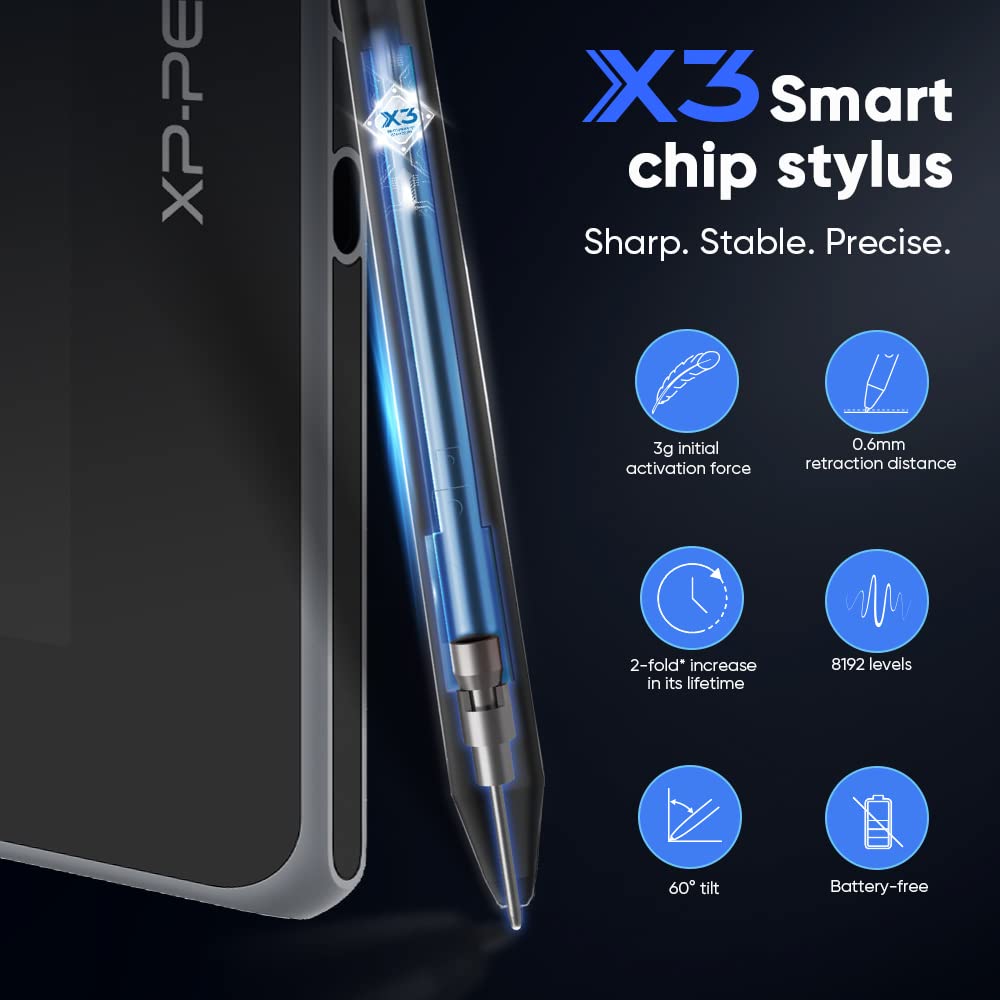
✅ [X3 Elite Battery-free Stylus] Artist 13 (2nd Gen) is equipped with new X3-Smart-Chip Stylus, giving you an upgraded drawing experience – faster response, more stable performance and more precise positioning. It never requires charging, allowing uninterrupted usage while delivering a natural pen experience. Also, no batteries means no clumsy wires and a greener choice.
✅ [8192 levels of Pressure sensitivity]: Best-in-class 8192 levels of pen pressure sensitivity allows you to create variations in line width and opacity, giving you a real pen-on-paper feel. Stylus supports 60 degrees of tilt and is also equipped with automatic line correction and intelligent anti-shake function to create the best drawing experience.
✅ [9 Shortcut keys]: One-click toggle on stylus and 8 customisable shortcut keys on the tablet help improve workflows and increase speed. Program the keys to perform your most commonly used functions like switch from pen to eraser, zoom, copy, change brush, etc. Suitable for both left and right hand users, even in a dim environment.
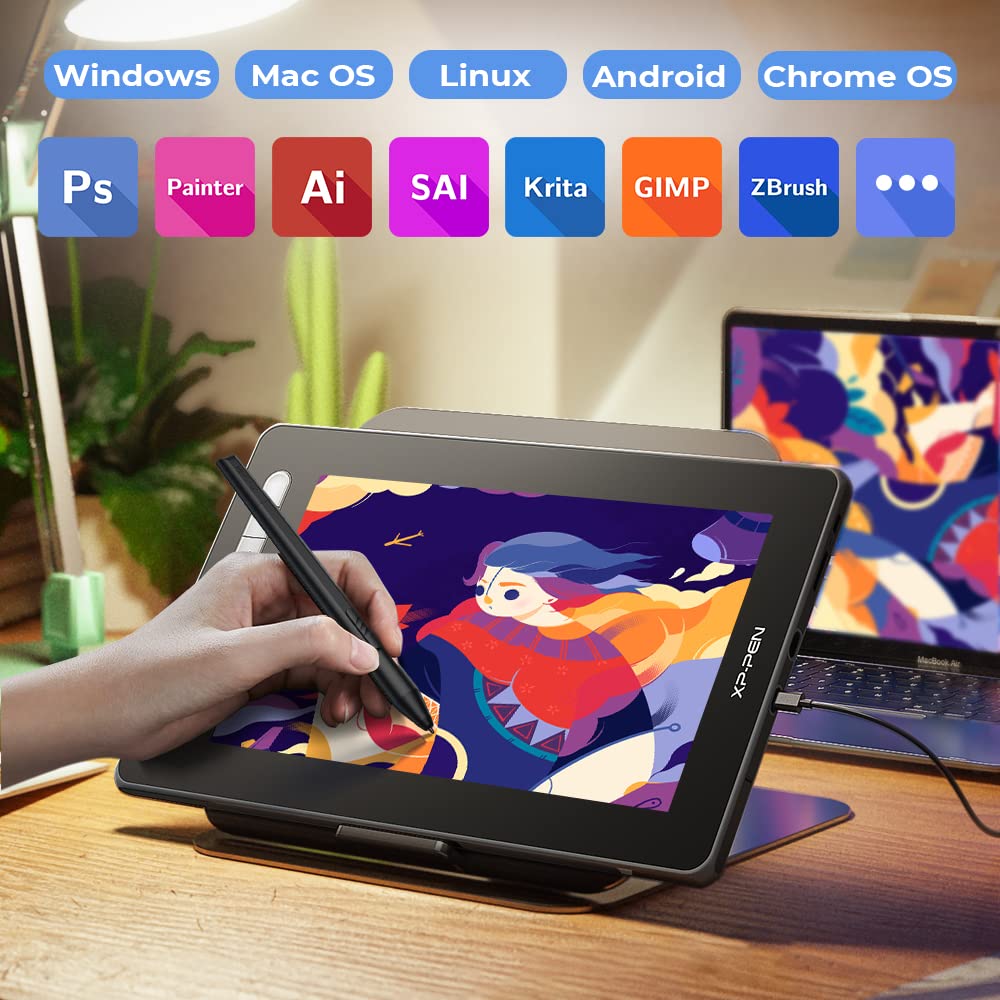
✅ [Supports All Design Softwares]: XPPen drawing displays are software neutral, meaning they work seamlessly with ALL commonly used design softwares including AdobeCC, Krita, Corel, Clip studio, Blender, etc.
✅ [Great for online teaching]: Use XPPen pen displays for teaching online, note-taking, annotations, digital signatures, etc. Compatible with all writing softwares like MS Teams, Word, Powerpoint, Zoom, etc.
✅ [Simple Connectivity]: Easy 3-in-1 USB-C cable connection which will help keep your workstation tidy. For advanced settings such as pen pressure and express keys, download the free driver and follow a simple 3-step installation.
✅ [Windows, Mac, Linux & Android support]: Artist 13 (2nd Gen) is compatible with Windows 11/10/8/7, MacOS X 10.10 (or higher), Linux and Android 6.0 (or higher). Perfect to connect with your laptop or on-the-go usage with your smartphone / tablet.
✅ [Technical support]: We offer a pan-India 12 months replacement warranty on XPPen graphic tablets. For technical support, call us on our toll free number or raise a ticket on our website.
✅ [Complete Bundle]: Standard box contents include a Pen Display, X3-Elite Stylus, 3-in-1 USB-C cable, USB extension cable, 10 nibs, Drawing glove, Pen Clipper and a Quick Guide. Free driver is also available for download.
In stock
In stock
No account yet?
Create an Account


Reviews
Clear filtersThere are no reviews yet.